
User Permissions and Role Management for Your Team
Assign permissions and roles to employees based on their responsibilities, distribute tasks across teams, control access to data and screens, and track user activity through the audit trail.
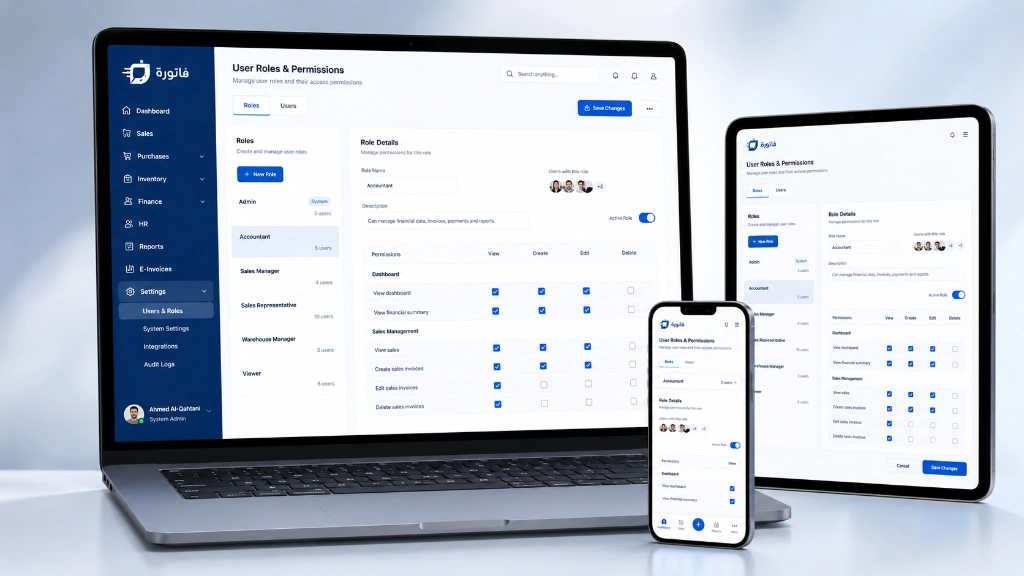

More Than 60 Granular Permissions
Define who can view, edit, cancel, or approve different operations and screens based on each user’s role and responsibilities in the company.

Financial Data Confidentiality
Restrict access to sensitive data and reports, and specify which users or roles are authorized to view them according to company policy.

Audit Trail
Review the user activity log to see who created or edited recorded transactions and when, supporting auditing and internal control.
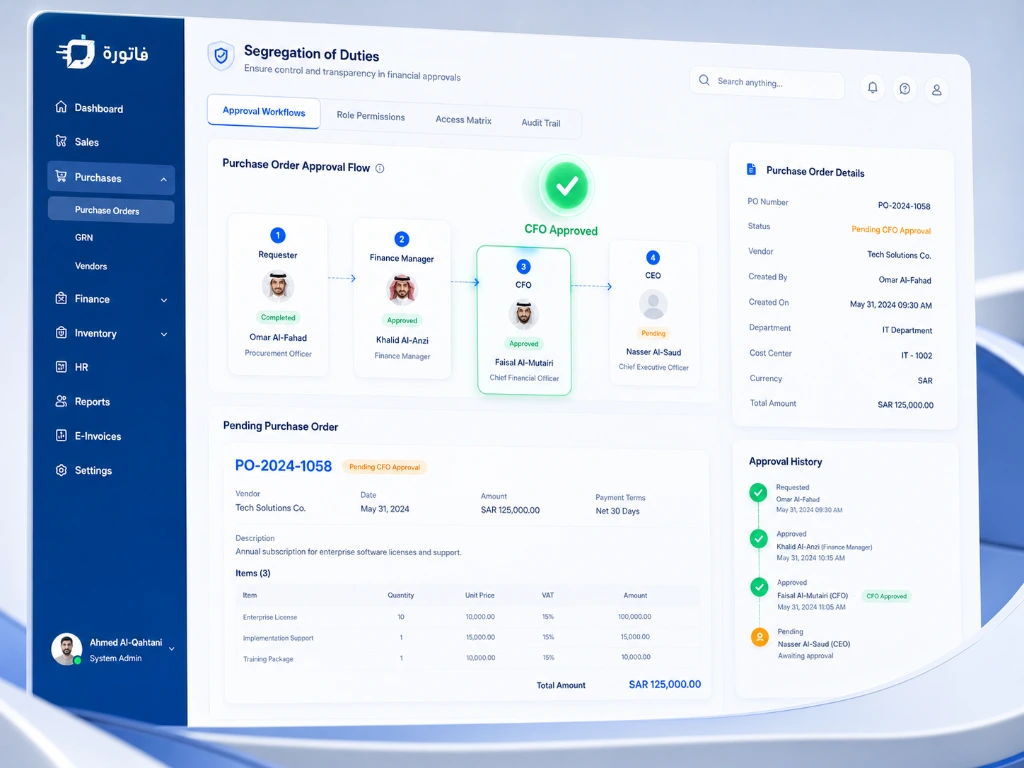
Distribute Permissions to Enforce Segregation of Duties
Distributing permissions among users reduces overlapping responsibilities in the financial cycle. You can separate creation, review, approval, and receiving tasks across different roles according to your company’s procedures, and link this to your financial accounting operations in the system.
- Separate the permission to enter purchase invoices from the permission to approve supplier payments.
- Give warehouse keepers access to the screens and operations their work requires.
- Organize approval and review permissions for operations that require management approval, based on your company settings.
Design System Roles That Match Your Organization’s Structure
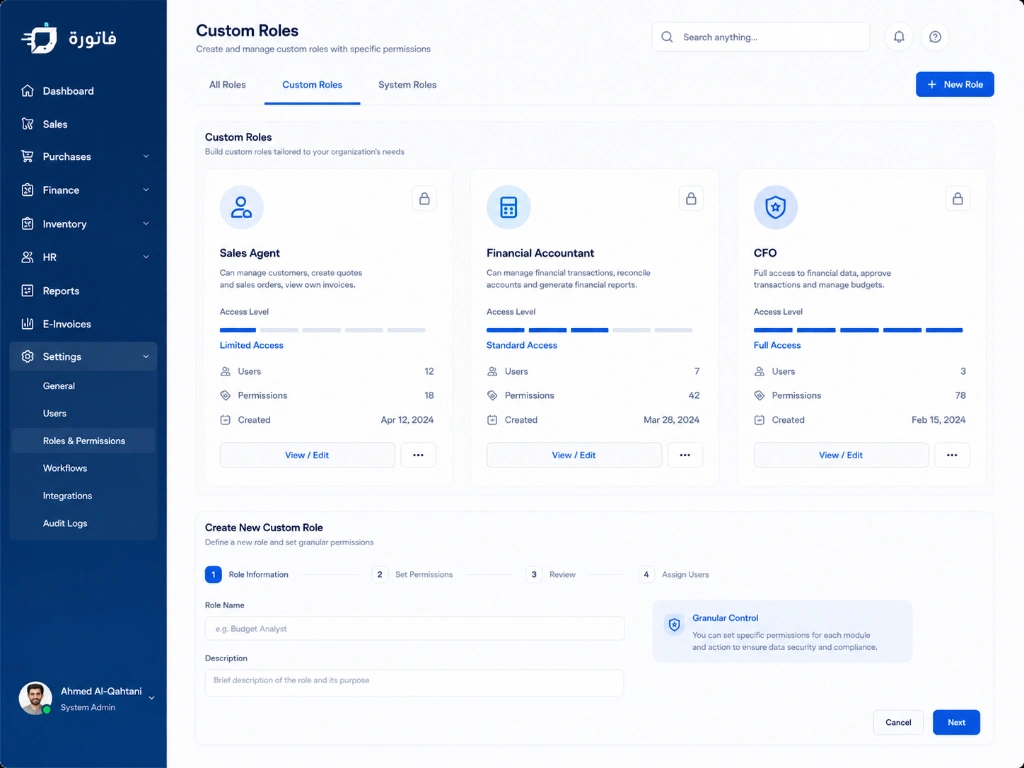
Create roles that reflect your company’s organizational structure and apply the right set of permissions to users, making it easy to standardize access for employees with similar responsibilities within Fatora’s cloud ERP.
- Sales team: Permissions can be set for quotations, sales invoices, and other sales operations.
- Accountant: Can be given permissions for the journal entries, accounts, and reports they need, based on their responsibilities.
- Chief Financial Officer (CFO): Can be given broader access to financial statements, cost centers, and management data.
- External auditor: A read-only role can be created to view authorized data without editing it.
Quick answers ✨
User Permissions FAQs
Permissions can be distributed among users, for example by giving one employee permission to create purchase orders and another user permission to review or approve payments, according to your company’s approved workflow.
Yes. You can restrict access to financial statements and reports and specify the roles or users authorized to view them.
Yes. You can use roles and permission groups to easily apply similar access settings to new employees.
Access-time restrictions depend on your subscription plan and available settings, and can be used to manage user logins according to company policy.
Yes. The audit trail provides information that helps you track user activity and changes to the transactions recorded in the system.
Yes. You can create a read-only role for an auditor or accountant to view authorized data and reports without editing them.
Yes. User permissions can be customized by the branch or branches each user is allowed to work in, based on system settings.
The system blocks access to unauthorized screens or operations based on user permissions, and you can refer to the available activity log for review when needed.
Organize Your Team’s Access to Data and Operations
More than 1,500 companies and businesses use Fatora to run their operations, and you can customize user roles and permissions to fit your company’s structure.
Contact the Fatora team ✨
