
Business Financial Reporting and Performance Analysis in One Platform
Turn your company’s accounting data into clearer financial reports that help management track the income statement, balance sheet, cash flow, and cost centers, and compare performance across periods, all from Fatora.
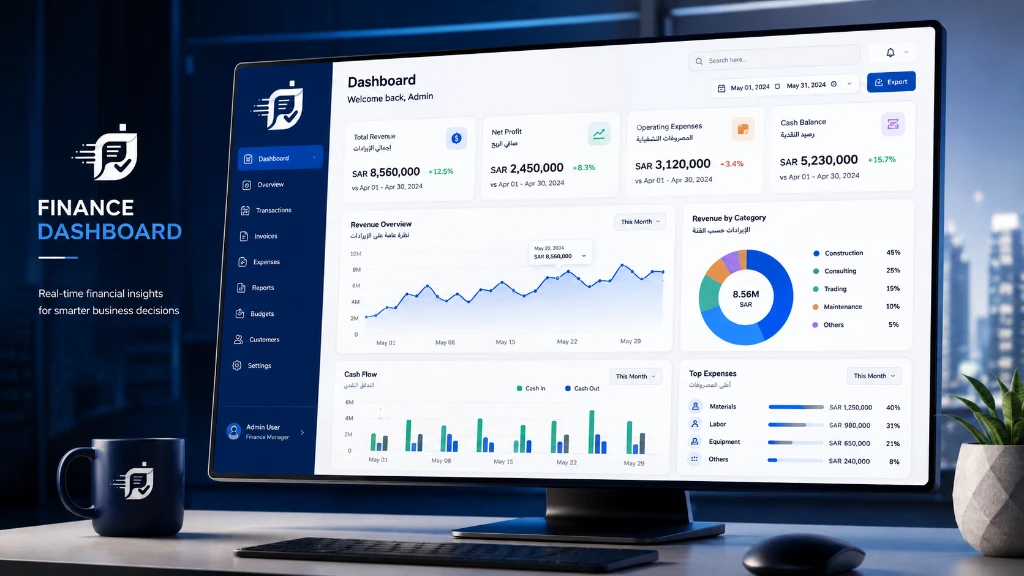

Financial Statements and Reports
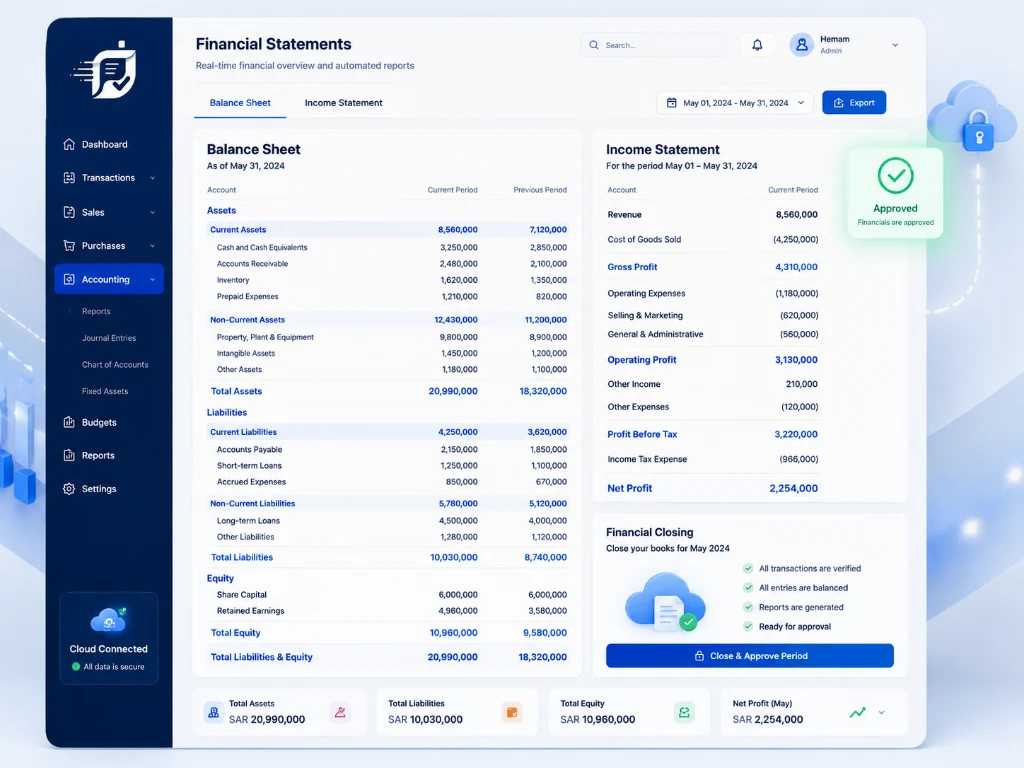
Track the income statement, balance sheet, cash flow, and trial balance based on the accounting data recorded in the system.

Cost Center Profitability
Use cost centers to track revenue, expenses, and the results of branches, projects, or departments based on your business’s structure and settings.

Financial Indicators and Dashboards
Dashboards that help management read indicators such as liquidity, working capital, inventory movement, and receivables more clearly.
Reports That Show Your Financial Performance from Different Angles
Bring the core statements and reports together in one place to track results, liquidity, and cost centers, and compare performance across periods.
Income Statement (Profit and Loss)
Track revenue, expenses, and the net result for the period to better understand your profitability trend.
Balance Sheet
Review assets, liabilities, and equity for a fuller picture of your business’s financial position.
Cash Flow Statement
Track cash inflows and outflows to help assess liquidity and see where cash comes from and where it goes.
Trial Balance
Review account balances and movements for the period as part of your accounting follow-up and review.
Cost Center Reports
Compare the results of branches, projects, or departments by allocating revenue and expenses to cost centers.
Period-over-Period Comparison
Compare results across different periods to spot financial changes, trends, and variances.
Track Your Company’s Results with Connected Financial Reports
Reports are built on the financial data and transactions recorded in the system, making it easier to follow accounts and results across periods and reducing the need to compile data from separate files.
- A trial balance that helps you track account balances and check that they balance.
- Track cash inflows and outflows to help assess your liquidity position.
- Export available reports in formats such as Excel and PDF, depending on the report type and system settings.
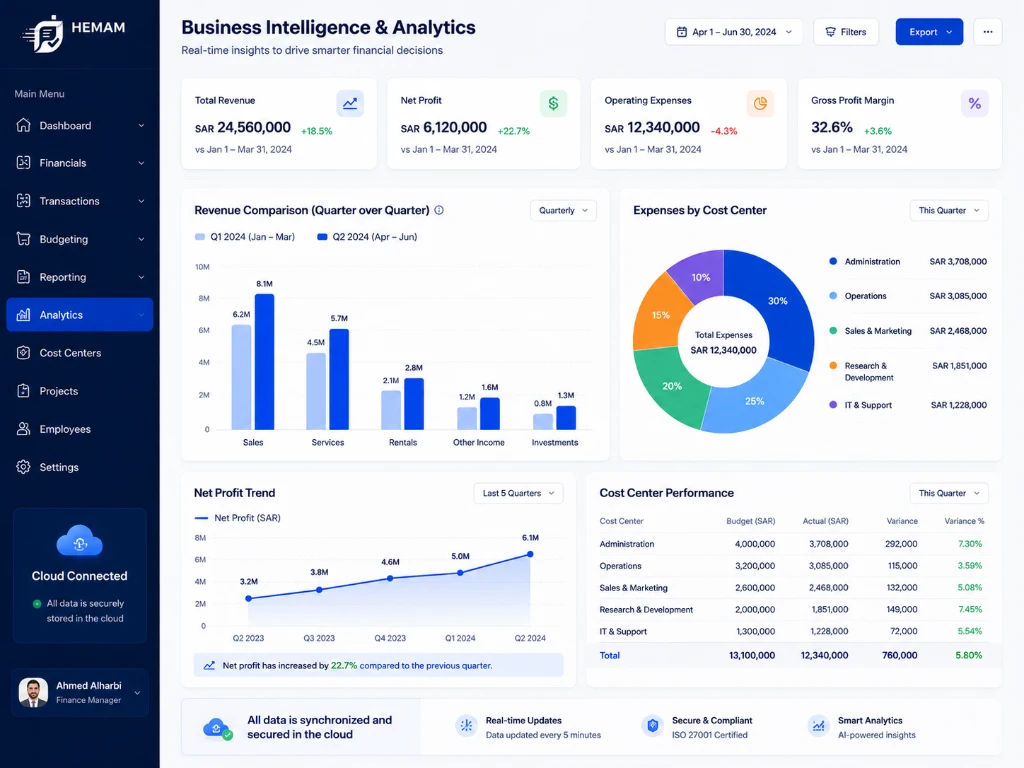
Compare Financial Performance Across Periods and Review Trends
Comparison and analysis reports help you review results across periods and read performance trends, giving you a clearer basis for financial discussions and decisions.
- Compare current financial performance with previous periods (quarterly / annually) to spot variances.
- Analyze purchases and supplier spending to find opportunities to cut operating costs.
- Dashboards that help management read key financial indicators in one place.
Quick answers ✨
Financial Reporting and Analytics FAQs
Reports are updated based on the data recorded and approved in the system, helping you track the income statement, cash flow, and financial data from one connected source.
The system supports the core financial statements and reports, such as the income statement, balance sheet, cash flow statement, and trial balance, based on the recorded accounting data.
The cash flow report shows where cash comes from and how it is used and tracks liquidity movements, helping you assess cash needs and make clearer financial decisions.
Reports and accounting ledgers help you review financial performance and prepare the data accountants and auditors need. The accounting treatment should still be verified against your business’s policies and the regulatory requirements that apply to it.
You can use cost centers to link revenue and expenses to branches or projects and track each center’s results separately, based on your system settings.
Fatora supports exporting available reports in formats suited to sharing and analysis, such as Excel and PDF, depending on the report type and system settings.
Comparison reports let you review results for different periods and track changes in financial performance, supporting trend and variance analysis.
User access permissions can be set up based on your business settings, so finance teams and authorized auditors can view the reports and data they are allowed to see.
See How Fatora Reports Help You Understand Your Company’s Performance
Contact the Fatora team to review your company’s needs for financial reports, dashboards, and analytics.
Talk to our experts ✨
